The Small Business Website Checklist for 2026
The bar for what counts as a 'good' business website has changed. Here's the 2026 checklist — mobile-first, SEO-ready, conversion-optimized, and built to earn.
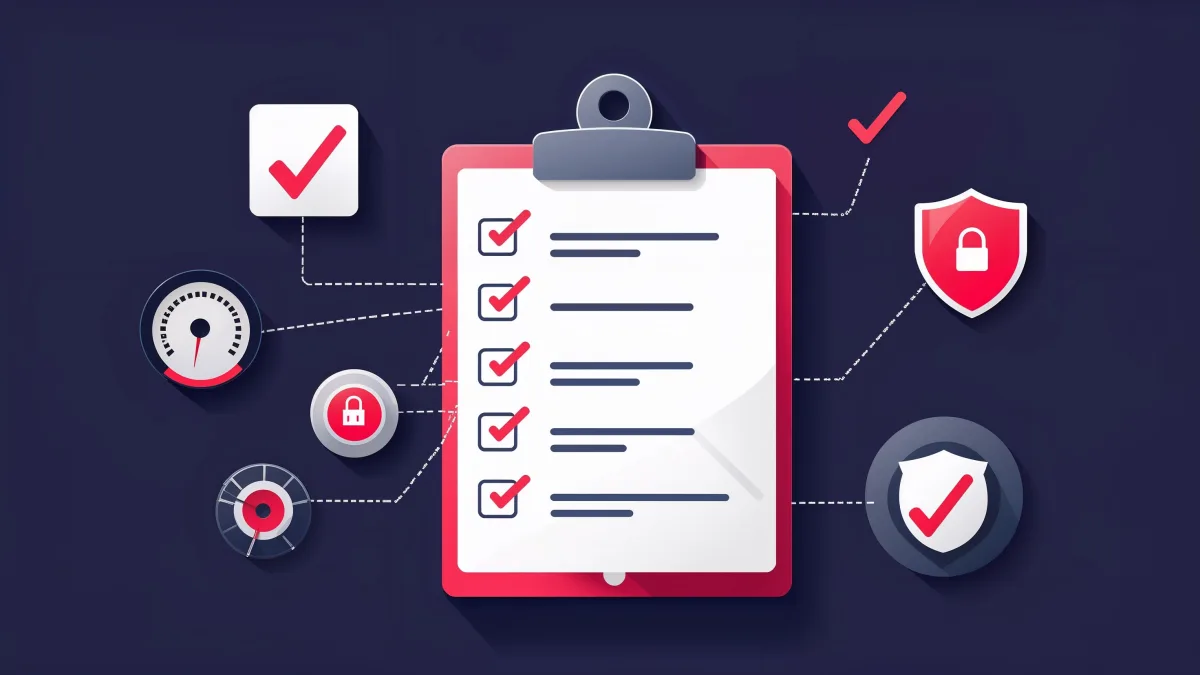
The website that worked for your business in 2023 isn't cutting it anymore. Google's algorithms have shifted. Your buyers' expectations have changed. And your competitors — the ones eating your lunch on page one — have already adapted.
This isn't a list of nice-to-haves. This is the baseline. If your site doesn't check every one of these boxes, you're not just behind — you're invisible.
The reality check: Google processes over 8.5 billion searches per day. Your potential clients are searching right now — for a kitchen remodeler, a moving company, a med spa, a contractor. If your website doesn't meet 2026 standards, they'll find someone whose does.
Mobile-First Design (Not Mobile-Friendly — Mobile-First)
There's a difference. Mobile-friendly means your desktop site shrinks to fit a phone screen. Mobile-first means the site is designed for the phone first and expanded for desktop second. This matters because Google uses mobile-first indexing — meaning the mobile version of your site is what determines your search ranking.
If your site has tiny text, buttons you can't tap, or content that gets cut off on mobile, Google sees a broken site. And they rank it accordingly.
The mobile checklist
- All text is readable without zooming — minimum 16px body font
- Tap targets (buttons, links, phone numbers) are at least 44x44 pixels
- No horizontal scrolling on any page
- Forms are easy to complete with a thumb — no tiny dropdowns, no five-field forms
- The phone number is tappable from every page
- Page loads in under three seconds on a 4G connection
Core Web Vitals — Pass Them or Pay for It
Core Web Vitals are Google's way of measuring how your site actually feels to use. There are three metrics: how fast the main content loads (LCP), how quickly the page responds to interaction (INP), and how stable the layout is while loading (CLS). If you fail these, your rankings drop.
This isn't theoretical. Businesses that fix Core Web Vitals see measurable ranking improvements within weeks. It's one of the highest-ROI technical fixes you can make.
Check yours right now: Run your site through pagespeed.web.dev to see your Core Web Vitals scores.
Clear Conversion Paths on Every Page
Every single page on your website needs a job. The homepage job is to route visitors to the right service. The service page job is to get them to request a quote. The about page job is to build enough trust that they pick up the phone.
That means every page needs a visible call-to-action — above the fold, not buried at the bottom. "Book a Free Consultation," "Get a Quote," "Schedule Your Audit." The language should be specific to what happens next, not generic "Contact Us" buttons that feel like dead ends.
Local SEO Foundations
If you serve a geographic area — and most service businesses do — your website needs to be engineered for local search. That means your city and service area appear in your page titles, meta descriptions, headings, and body copy. Not keyword-stuffed, but naturally integrated.
The local SEO essentials
- Google Business Profile is claimed, verified, and complete
- NAP (Name, Address, Phone) is consistent across your site and every directory
- Each service has its own dedicated page targeting "[service] + [city]" keywords
- You have a reviews strategy driving fresh Google reviews monthly
- Schema markup (LocalBusiness, Service) is implemented on every relevant page
SSL, Speed, and Security
Your site needs HTTPS — no exceptions. Browsers flag HTTP sites as "Not Secure," and visitors bounce the second they see that warning. Beyond SSL, your hosting matters. Cheap shared hosting means slow load times, especially under traffic spikes. Managed hosting with a CDN gives you speed, uptime, and security out of the box.
Professional Brand Identity
Your website communicates your price point before a visitor reads a single word. A site with stock photos, mismatched fonts, and a logo made in Canva tells the visitor you're a budget option. A clean, intentional design with cohesive typography, custom imagery, and consistent color language tells them you're worth the premium.
This doesn't mean expensive. It means intentional. Every visual choice — from the spacing between elements to the weight of your headline font — either builds trust or erodes it.
Analytics and Tracking
If you can't measure it, you can't improve it. At minimum, your site needs Google Analytics 4 configured, Google Search Console connected, and conversion events tracking form submissions, phone calls, and button clicks. Without this data, you're making business decisions blind.
The payoff: Businesses that implement proper tracking and make data-driven site improvements see an average conversion lift of 20-50% within the first 90 days. That's not a redesign — that's just paying attention to the numbers.
The Industry-Specific Add-Ons
The checklist above is your baseline. But depending on your industry, you need additional features that generic website guides never mention:
Moving companies need a quote calculator or request form with fields for origin/destination zip codes, move date, and home size. Without it, you're getting vague "I need a quote" emails instead of qualified leads with actionable details.
Restaurants need menu pages that are actual HTML text — not embedded PDFs that Google can't read and phones can't zoom. Online ordering integration or a reservation widget is table stakes in 2026. If your menu is a scanned PDF, you're invisible to search engines.
Law firms need dedicated practice area pages — one per specialization. A personal injury attorney, family law firm, and criminal defense lawyer all need completely different page structures. Each practice area page should target specific keywords and include case results or outcomes.
Med spas and clinics need online booking integration that syncs with their scheduling software. Patients expect to book a consultation at 11pm on a Sunday. If your site says "call during business hours," you're losing to the med spa down the street with a booking widget.
Florists and visual businesses need image-heavy galleries with proper alt text and compressed file sizes. A florist's website is their portfolio — every arrangement should be photographed, categorized, and optimized for image search. Google Images drives significant traffic for visual industries.
Fitness studios need class schedules, instructor bios, and a membership signup or trial booking flow. The conversion path is different from a service business — it's about reducing friction to the first visit, not closing a sale.
The pattern: Every industry has 2-3 features that aren't on any generic checklist but are make-or-break for conversion in that specific vertical. Before you build, research what the top 5 competitors in your space have on their sites. That's your real feature list.
The Post-Launch Checklist
Building the site is half the job. What you do in the first 48 hours after launch determines how fast you start ranking and generating leads.
Submit to Google Search Console. Verify ownership of your domain, submit your sitemap (usually at yoursite.com/sitemap.xml), and request indexing for your homepage and key service pages. Google will find you eventually — this makes it happen in days instead of weeks.
Verify your robots.txt. Navigate to yoursite.com/robots.txt and make sure it's not blocking important pages. A surprising number of sites launch with "Disallow: /" still active from the staging environment — which tells Google to ignore your entire site.
Test every form. Submit your contact form, quote form, and any other form on the site. Verify the email arrives, the data is correct, and the confirmation message displays. Then test them on mobile. Broken forms are invisible revenue leaks — you'll never know about the leads you didn't get.
Check mobile rendering on three devices. Don't just test on your phone. Open the site on an iPhone, an Android phone, and a tablet. Check that images load, text is readable, buttons are tappable, and nothing overflows the screen. Each device renders differently.
Set up Google Analytics 4 conversion events. Install GA4 and configure events for form submissions, phone number clicks, and CTA button clicks. Without conversion tracking, you can't measure ROI — and you'll never know which pages are working and which are dead weight.
Claim and optimize your Google Business Profile. If you serve a local area, this is non-negotiable. Complete every field — business name, address, phone, hours, service area, categories, photos, and description. Link your website in the profile. Your GBP listing is often the first thing people see, before they even click through to your site.
The 48-hour difference: Businesses that complete this post-launch checklist start appearing in Google search results within 1-2 weeks. Businesses that skip it often wait 4-8 weeks — or longer — wondering why nobody's finding their site.
The Bottom Line
This checklist isn't about perfection. It's about the floor. Every item on this list is something your competitors are already doing — or will be doing by Q2 2026. The businesses that treat their website as a living, revenue-generating asset will keep winning. The ones treating it as a set-it-and-forget-it brochure will keep wondering where their leads went. If you're starting from scratch, our small business website package handles every item on this list out of the box.
What pages does a small business website need?
At minimum: Home, About, Services, and Contact. That's four pages. For service businesses, add individual pages for each service you offer and each city you serve — those are your SEO workhorses. Most effective small business sites have 5-15 pages. Quality matters more than quantity, but more targeted pages means more ways for Google to send you traffic.
How often should I update my business website?
Your core pages — homepage, services, about — should be reviewed every 6 months and refreshed annually. Blog content or industry updates should go up monthly if you're doing content marketing. But the most important updates are reactive: new services, new locations, new team members, new reviews, and any change in your contact information. A stale website signals a stale business.
What's the most important thing on a small business website?
A clear call-to-action above the fold on every page. Everything else — design, copy, SEO, speed — exists to support that one goal: getting the visitor to take action. If someone lands on your homepage and can't figure out what to do next within five seconds, nothing else matters. Nail the CTA first, then optimize everything around it.
Related reading: Do I Need a Website for My Small Business in 2026? | Affordable Web Design in Seattle for Small Businesses
Ready to stop leaving money on the table?
Submit the intake and Arseni will build it. 50% deposit, balance on ship.
Get StartedSuggest a Story
Got a tip, trend, or topic we should cover? We'd love to hear from you.
Submit a SuggestionRecommended Reading