ePageUSA vs Wappalyzer vs BuiltWith: Which Website Analyzer Is Best?
A side-by-side comparison of three popular website analysis tools — ePageUSA Site Analyzer, Wappalyzer, and BuiltWith. See which one gives you the most insight for free.
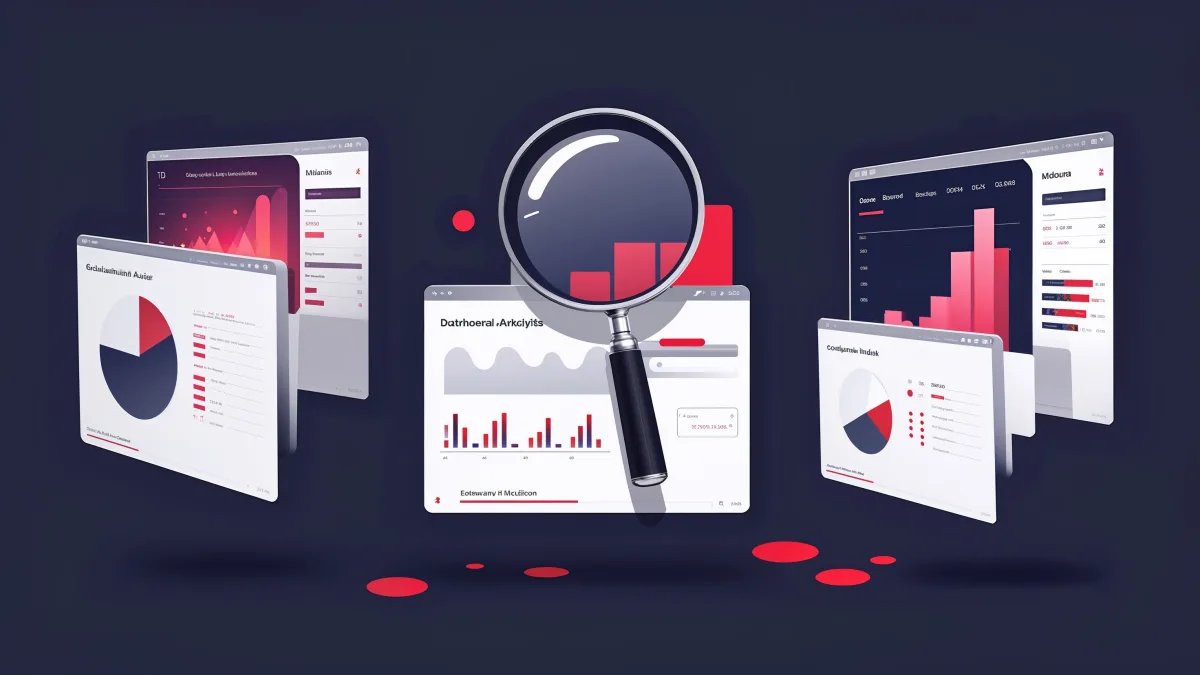
If you've ever wanted to know what technology a website uses, you've probably come across Wappalyzer and BuiltWith. They're the two most well-known tech stack detection tools on the internet. But there's a newer option that goes significantly further — the ePageUSA Site Analyzer.
I'm going to break down all three tools honestly. Yes, we built one of them. But this comparison is straight facts — features, limitations, pricing, and what each tool actually gives you.
Quick Overview
Wappalyzer is a browser extension (and website) that identifies technologies used on websites. It's been around since 2012 and has a massive database of technology signatures.
BuiltWith is a web-based tool that profiles websites by their technology stack. It also offers enterprise-level trend data and market intelligence.
ePageUSA Site Analyzer is an all-in-one website intelligence tool that combines tech stack detection with SEO auditing, visual inspection, security analysis, accessibility checks, performance metrics, and design extraction — all in a single free scan.
Feature Comparison
| Feature | ePageUSA | Wappalyzer | BuiltWith |
|---|---|---|---|
| Tech stack detection | Yes | Yes | Yes |
| SEO audit (12+ checks) | Yes | No | No |
| Visual design inspector | Yes | No | No |
| Font detection + preview | Yes | No | No |
| Color palette extraction | Yes | No | No |
| CSS copy (one-click) | Yes | No | No |
| Security header analysis | Yes | No | No |
| Accessibility audit | Yes | No | No |
| Performance metrics | Yes | No | No |
| Social preview cards | Yes | No | No |
| Image gallery + alt text | Yes | No | No |
| Link analysis | Yes | No | No |
| Server info | Yes | Partial | Yes |
| Free tier | Unlimited | Limited | Limited |
| Browser extension | No | Yes | Yes |
| Price | Free | $0-$250/mo | $0-$495/mo |
The key difference: Wappalyzer and BuiltWith answer one question — "what technologies does this site use?" ePageUSA answers that question plus a dozen others: How's the SEO? Is it secure? What fonts and colors does it use? How accessible is it? What does it look like on social media?
Tech Stack Detection
All three tools identify the frameworks, CMS platforms, analytics tools, and third-party services a website uses. Wappalyzer has the largest technology database (2,500+ technologies) thanks to its open-source community. BuiltWith is close behind with enterprise-grade detection.
ePageUSA identifies 30+ technology categories including frameworks, UI libraries, analytics, hosting providers, CDNs, and more. While the database isn't as large as Wappalyzer's, it covers the technologies that actually matter — the ones that influence design decisions, performance, and SEO.
Winner: Wappalyzer for raw detection breadth. ePageUSA for practical technology insights combined with everything else.
SEO Analysis
This is where the comparison gets interesting — because Wappalyzer and BuiltWith simply don't do SEO analysis. At all.
ePageUSA runs a 12-point SEO audit on every scan:
- Title tag presence and length
- Meta description presence and length
- H1 heading structure
- Image alt text coverage
- Mobile viewport meta tag
- Canonical URL configuration
- Open Graph tags for social sharing
- Robots meta directives
- Favicon presence
- HTTPS enforcement
- Page load performance
- Heading hierarchy
Each check gets a pass/warning/fail grade, and you get an overall SEO score from A to F. For most businesses, this alone replaces tools like SEOptimer or SiteChecker that charge $20-50/month.
Winner: ePageUSA (the others don't compete here).
Visual Design Inspector
Want to know what fonts a website uses? What their exact color palette is? Want to grab CSS values with one click?
ePageUSA extracts the complete visual identity of any website — fonts with live previews, color palettes with hex codes, and a full image gallery with dimensions and alt text. Designers use this to study competitors, build mood boards, or reverse-engineer design systems.
Wappalyzer can tell you a site uses Google Fonts. It can't tell you which fonts, at what weights, or show you a preview. BuiltWith offers similar surface-level information.
Winner: ePageUSA (the others don't compete here either).
Security & Accessibility
ePageUSA checks security headers (Content-Security-Policy, X-Frame-Options, HSTS, etc.) and runs accessibility checks for alt text coverage, heading structure, and semantic HTML. These are critical for any business website and typically require separate paid tools to audit.
Neither Wappalyzer nor BuiltWith offer security or accessibility analysis.
Winner: ePageUSA.
Pricing
Here's where it gets real:
Wappalyzer:
- Free browser extension with limited lookups
- Starter: $99/month
- Team: $199/month
- Business: $249/month
BuiltWith:
- Free basic lookups (limited)
- Basic: $295/month
- Pro: $495/month
- Enterprise: Custom pricing
ePageUSA Site Analyzer:
- Free. Unlimited scans. No account required.
The math is simple. ePageUSA gives you tech detection + SEO auditing + visual inspection + security analysis + accessibility checks + performance metrics — all for $0. Getting equivalent coverage from paid tools would cost $50-100/month minimum.
When to Use Each Tool
Use Wappalyzer if you need a quick browser extension to check technologies while browsing. It's fast, lightweight, and the extension format is convenient for developers who want instant lookups.
Use BuiltWith if you need enterprise market intelligence — things like "what percentage of the top 10,000 sites use React" or technology adoption trends over time. That's BuiltWith's real strength, and it's worth the price for market researchers.
Use ePageUSA if you want a complete picture of any website in a single scan. Tech stack, SEO health, visual design, security posture, accessibility, performance — everything in one place, completely free. It's the best option for small business owners, designers, marketers, and developers who need actionable insights, not just a list of technologies.
The Bottom Line
Wappalyzer and BuiltWith are good at what they do — identifying technologies. But that's all they do. The ePageUSA Site Analyzer was built to answer every question you might have about a website in one scan — the same philosophy we use when building custom sites at our services page.
Try it yourself — run any URL through the free site analyzer and see the difference.
Ready to stop leaving money on the table?
Submit the intake and Arseni will build it. 50% deposit, balance on ship.
Get StartedSuggest a Story
Got a tip, trend, or topic we should cover? We'd love to hear from you.
Submit a SuggestionRecommended Reading